NotionNotion
Icône de connexion

Nightfall AI

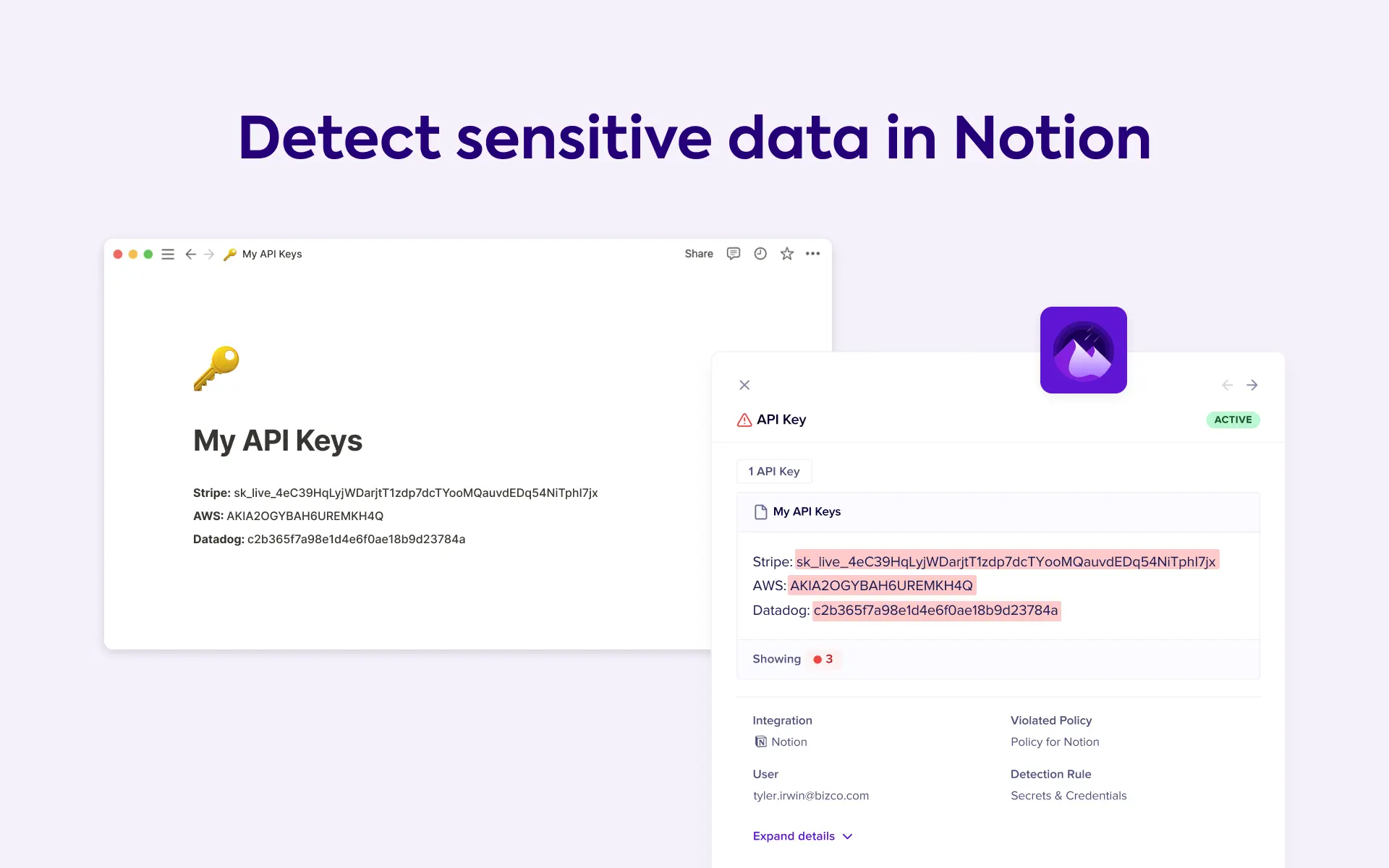
Scan, monitor, and protect your sensitive Notion data to ensure continuous security and compliance
  • Rédaction de contenu
Scan, monitor, and protect your sensitive Notion data to ensure continuous security and compliance

À propos

Nightfall for Notion is the first complete AI-native data leak prevention platform that stops sensitive data such as PHI, PII, secrets, and keys from leaking to Notion pages. With industry-leading AI-based detectors, you can automatically detect 150+ types of PII, credentials & secrets including API keys. Nightfall ensures compliance with leading industry standards, such as ISO-27001, SOC 2, HIPAA, and more.  

Comment utiliser l’intégration

Learn more about this integration by visiting Nightfall AI or Nightfall's Help Center.

How to install:

  1. Log in to your Notion account.

  2. Switch to the Workspace that you wish to add to Nightfall.

  3. Click Settings and members in the left pane.

  4. Click Connections under the Workspace menu.

  5. Click the Workspace tab.

  6. Click Connect on the Nightfall widget.

  7. Click Connect to Nightfall.

  8. A pop-up will appear that will be logged into your Nightfall instance. Click Connect.

Détails
Créée par
Catégorie
  • Sécurité et conformité
Liens pour les développeur·euses
Toutes les marques tierces (y compris les logos et icônes) mentionnées dans les présentes sont la propriété de leurs propriétaires respectifs. Sauf mention explicite Créée par Notion, les connexions ne sont ni prises en charge ni maintenues par Notion. Les produits ou services tiers auxquels les connexions se connectent sont des applications qui n’appartiennent pas à Notion (telles que définies dans le Contrat-cadre d’abonnement ou les Conditions d’utilisation personnelles de Notion, selon le cas). En activant toute connexion ou en utilisant de toute autre manière la Galerie des connexions de Notion, vous acceptez les Conditions de la Galerie des connexions de Notion.

Powered by Fruition