NotionNotion
Icône de connexion

Sumo Logic

Collects, analyzes, and ingests data to provide actionable insights
  • Événements de l’espace de travail
Collects, analyzes, and ingests data to provide actionable insights

À propos

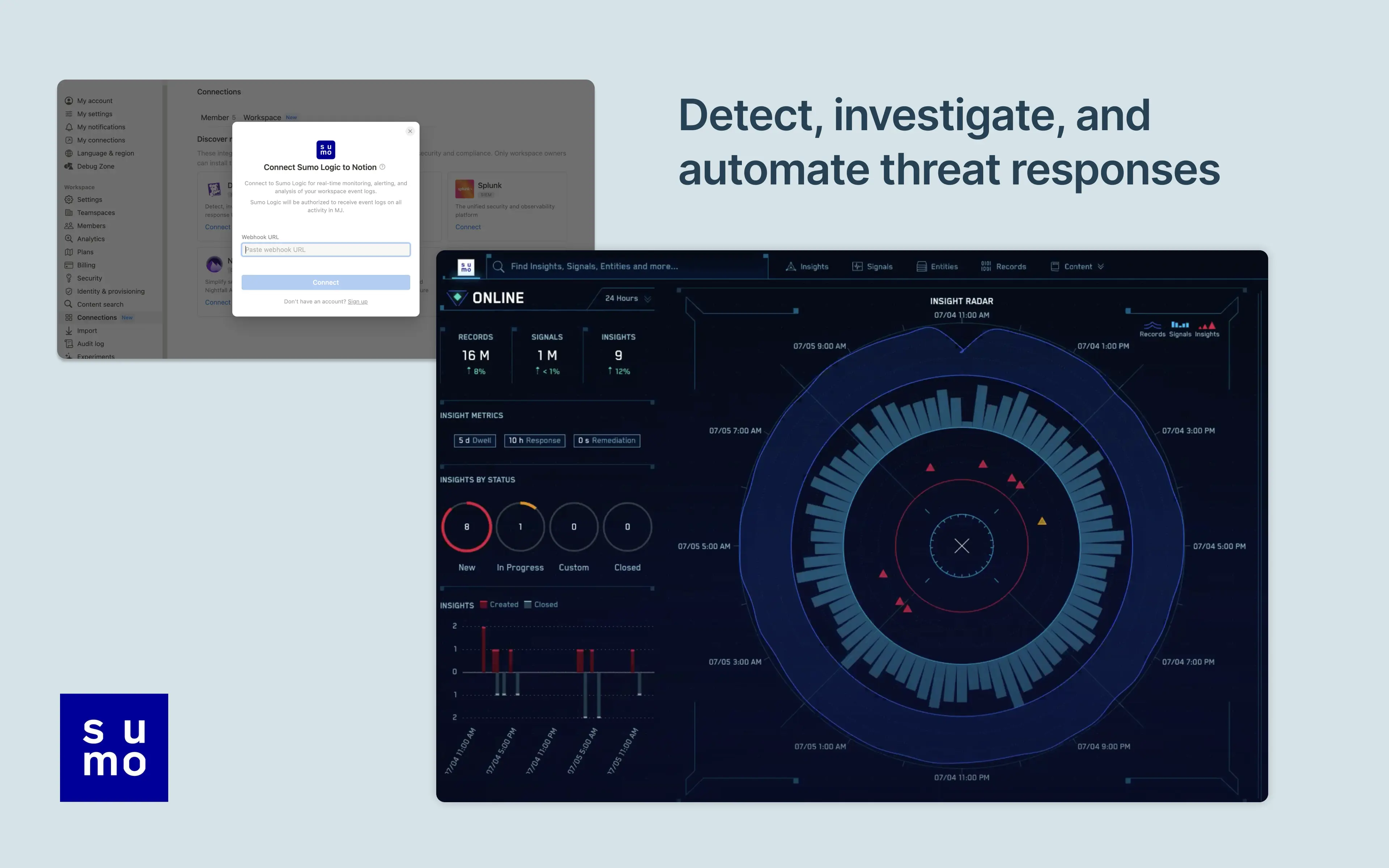
Notion's integration with Sumo Logic allows users to manage and monitor their Notion workspace activity in their Sumo Logic Cloud SIEM. Install the integration to import your workspace's audit logs for real-time monitoring, alerting, and analysis. From there, users can detect and investigate potential security issues, suspicious behavior, and troubleshoot access with confidence and ease.

Comment utiliser l’intégration

Only Notion Connections can install this integration as part of the Notion Enterprise plan.

  1. Log into your Sumo Logic instance

  2. Click Manage Data > Collection

  3. Navigate to Setup Wizard and click Get Started

  4. When presented with Data Type, click Your Custom App > HTTPS Source

  5. Copy the HTTP Source URL into Notion settings

You can find additional instructions in Sumo Logic's documentation.

Détails
Créée par
Catégorie
  • Sécurité et conformité
Liens pour les développeur·euses
Toutes les marques tierces (y compris les logos et icônes) mentionnées dans les présentes sont la propriété de leurs propriétaires respectifs. Sauf mention explicite Créée par Notion, les connexions ne sont ni prises en charge ni maintenues par Notion. Les produits ou services tiers auxquels les connexions se connectent sont des applications qui n’appartiennent pas à Notion (telles que définies dans le Contrat-cadre d’abonnement ou les Conditions d’utilisation personnelles de Notion, selon le cas). En activant toute connexion ou en utilisant de toute autre manière la Galerie des connexions de Notion, vous acceptez les Conditions de la Galerie des connexions de Notion.

Powered by Fruition