Product
Notion
Je AI-workspace
Notion Calendar
Notion Mail
Notion AI
AI-tools voor werk
Agenten
Automatiseer tijdrovend werk
AI-vergadernotities
Perfect geschreven door AI
Zoeken in Enterprise
Snel antwoord op je vragen
Kennisbank
Bundel je kennis
Documenten
Eenvoudig en krachtig
Projecten
Al je projecten beheren
Integraties
Koppel je apps
Beveiliging
Veilig en schaalbaar
AI
AI-functies
Notion AI
AI-tools voor werk
Agenten
Automatiseer tijdrovend werk
AI-vergadernotities
Perfect geschreven door AI
Zoeken in Enterprise
Snel antwoord op je vragen
Ontdek gebruiksscenario's
Zakelijk
Privé
Oplossingen
Teams
Techniek en product
Design
Marketing
IT
Grootte van het bedrijf
Start-ups
Kleine bedrijven
Enterprise
Gebruiksscenario's
Onderwijs
Persoonlijk
Professioneel
AI-gebruiksscenario's
Bronnen
Bladeren
Sjablonen
Consultants
Integraties
Ontdekken
Nieuw
Klantverhalen
Blog
Webinars
Informatie
Ontwikkelaars
Academy
Productrondleidingen
Help
Ontwikkelaars
Enterprise
Prijzen
Een demo aanvragen
Werk gratis met Notion
Inloggen
Helpcentrum
Notion Basics
← Notion Basics
Notion Basics
Gids
Adding members, admins & guests
Gids
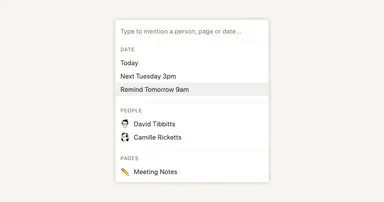
Reminders & @mentions
Gids
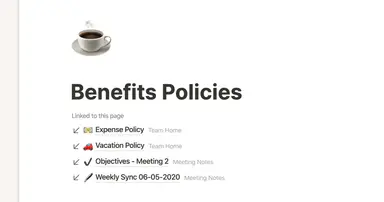
Creating links & backlinks
Gids
Creating a page
Gids
The best ways to use simple tables in your Notion pages (and when not to)
Gids
Start with a template
Gids
Using database views
Gids
Calendar view databases
Gids
Table view databases
Gids
Board view databases
Gids
Gallery view databases
Gids
Full page vs. inline databases
Gids
Creating a database
Gids
Database properties help organize your team’s information
Gids
Use charts to visualize data and track progress directly in Notion
Gids
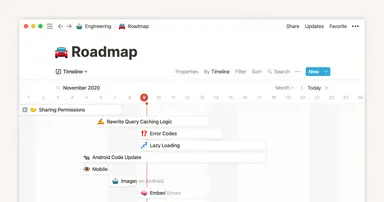
Timeline view unlocks high-output planning for your team
Gids
When to use each type of database view
Gids
Where does Notion fit into your company’s tool ecosystem?
Gids
Unleashing productivity with Notion's Slack integration
Gids
Automatically generate blocks, pages and more with the click of a button
Gids
Writing & editing basics
Gids
How teams can use comments for better collaboration
Gids
Types of content blocks
Gids
Teamspaces give every team a home for important work
Gids
Bring live links into your Notion workspace with link previews
Gids
Connecting tools to Notion
Gids
What is Notion?
Gids
Automate work with repeating database templates
Gids
Getting started with page customization
Gids
Assign custom database permissions to make your life easier
Gids
Transforming content blocks in Notion
Gids
Using database templates
Gids
Using advanced database filters
Gids
Intro to Timeline view
Gids
How to create new pages as you type
Gids
Using linked databases
Gids
Using relation & rollup properties
Gids
Using slash commands
Gids
A Notion guide on switching between work and personal accounts
Gids
The status property gives you clarity on task progress
Powered by
Fruition