製品
Notion
AIを活用したワークスペース
Notionカレンダー
Notionメール
Notion AI
仕事のためのAIツール
エージェント
面倒な作業を自動化する
AIミーティングノート
AIによる完璧な文章
エンタープライズサーチ
答えがすぐに見つかる
ナレッジベース
すべてのナレッジが一か所に
ドキュメント
シンプルでパワフル
プロジェクト
いろんなプロジェクトを上手に管理
コネクト
アプリを連携する
セキュリティ
安全でスケーラブル
AI
AI機能
Notion AI
仕事のためのAIツール
エージェント
面倒な作業を自動化する
AIミーティングノート
AIによる完璧な文章
エンタープライズサーチ
答えがすぐに見つかる
ユースケースを見る
仕事での使用
私生活での使用
ソリューション
チーム
エンジニアリング・プロダクト
デザイン
マーケティング
IT
会社規模
スタートアップ
小規模ビジネス
エンタープライズ
用途
学生・教育関係者
パーソナル
フォーマル
AIのユースケース
リソース
参照
テンプレート
コンサルタント
コネクト
見つける
最新情報
ユーザー事例
ブログ
ウェビナー
学ぶ
開発者
アカデミー
製品ツアー
ヘルプ
開発者
エンタープライズ
料金
営業に問い合わせる
Notionを無料で始める
ログイン
ヘルプセンター
全社利用
← 全社利用
全社利用
ヘルプガイド
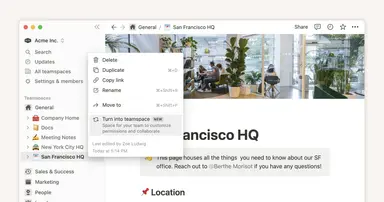
ワークスペースオーナーによる、組織のチームスペースの設定
ヘルプガイド
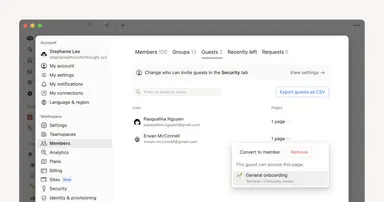
誰をワークスペースのメンバーとし、誰をゲストにするべきか
ヘルプガイド
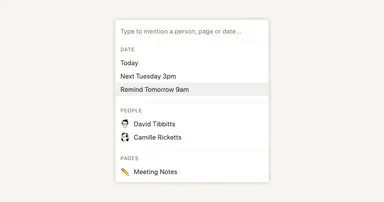
Reminders & @mentions
ヘルプガイド
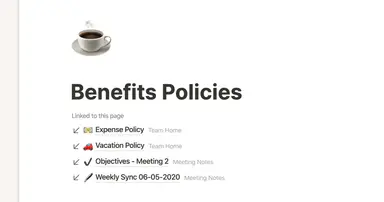
Creating links & backlinks
ヘルプガイド
Creating a page
ヘルプガイド
Getting started with templates for your team
ヘルプガイド
Comments & discussions
ヘルプガイド
Building a comprehensive team notes & docs database
ヘルプガイド
タスクデータベースを活かした、あなた専用のホーム
ヘルプガイド
Creating a knowledge hub by organizing docs for large teams
ヘルプガイド
Block basics: build the foundation for your team’s pages
ヘルプガイド
APIを使って他のツールとNotionを連携
ヘルプガイド
Notionを使った社内コミュニケーションのベストプラクティス
ヘルプガイド
When to use each type of database view
ヘルプガイド
Use Asana link previews to keep your teams on the same page
ヘルプガイド
Organize, connect, and scale your Notion knowledge management system
ヘルプガイド
Writing & editing basics
ヘルプガイド
How teams can use comments for better collaboration
ヘルプガイド
The best way to set up your team’s sidebar for clear organization
ヘルプガイド
What is Notion?
ヘルプガイド
Notionワークスペースの設定方法
ヘルプガイド
Assign custom database permissions to make your life easier
ヘルプガイド
チームスペースやグループへの適切なアクセスレベルの設定
ヘルプガイド
First steps when introducing Notion to a new teammate
ヘルプガイド
Navigating with the sidebar
ヘルプガイド
Create and use an upvote formula for team decisions
ヘルプガイド
How to use and customize the sidebar with teamspaces
Powered by
Fruition