I forgot my password. What do I do?
I forgot my password. What do I do?
If you forgot your password, follow the instructions to reset it here →
I just got an email saying I changed my email address or password, but I didn't!
I just got an email saying I changed my email address or password, but I didn't!
If you receive an unexpected email notifying you of a change to your password, you should reset your password as soon as possible. Follow these steps:
Navigate to notion.so/login in your web browser.
Click the
Continue with emailbutton.Enter the email address associated with your Notion account.
Click the
Forgot password?button, and then theSend Reset Linkbutton.We'll send a link to your email address. When you click that link, you'll be taken to
Settingsin your Notion workspace, and your password will be reset.Please report any suspicious activity like this to our support team, [email protected].
I tried changing my email address but got an error message saying: "A user with this email already exists."
I tried changing my email address but got an error message saying: "A user with this email already exists."
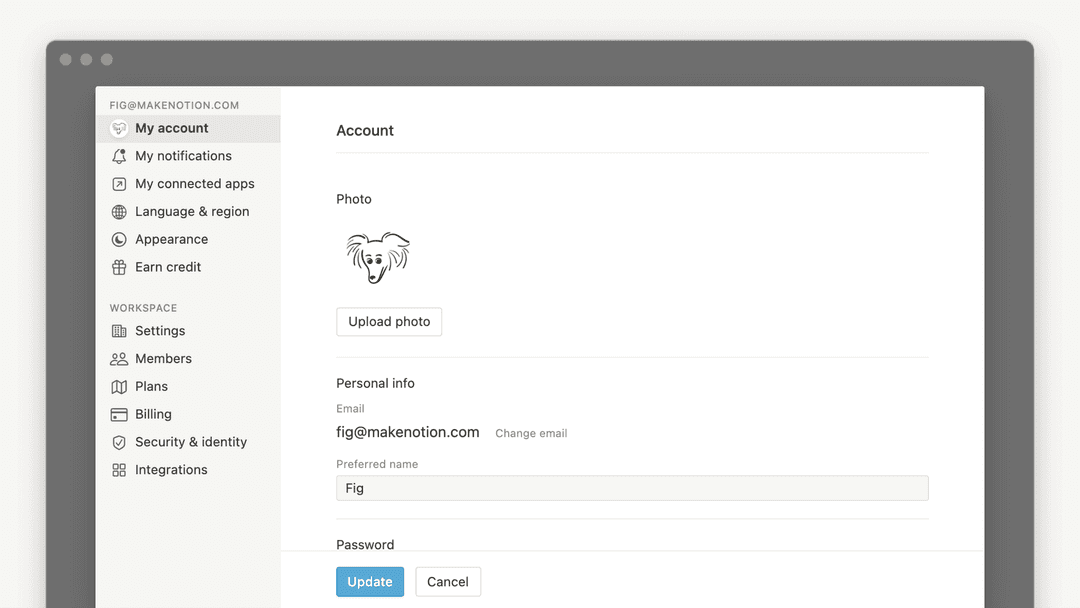
If you'd like to change your account email to one that’s already tied to another Notion account, you can log into the account that’s currently associated with your desired email address and delete that account to free up that email address. To do this:
Log into the account tied to your desired email address, then go to
Settings→{your name}→Delete my account.Log into the account whose email address you want to change, then go to
Settings→{your name}→Change email.
ถ้าฉันเผลอลบบางอย่างไปโดยถาวร จะทำอย่างไร? มีวิธีเอากลับคืนมาไหม?
ถ้าฉันเผลอลบบางอย่างไปโดยถาวร จะทำอย่างไร? มีวิธีเอากลับคืนมาไหม?
หากคุณลบหน้า พื้นที่ทำงาน หรือแม้แต่ทั้งบัญชีโดยไม่ได้ตั้งใจ เราก็ช่วยคุณได้! อุบัติเหตุเกิดขึ้นได้ 😅 เพียงส่งข้อความถึงเราในแอพ โดยคลิก ? ที่ด้านล่างซ้ายบนเดสก์ท็อป (หรือในแถบด้านข้างบนมือถือ) หรือส่งอีเมลถึงเราที่ [email protected]
เรามีการสำรองฐานข้อมูลไว้ ซึ่งจะช่วยให้คืนค่าเนื้อหาของคุณในช่วง 30 วันที่ผ่านมาได้หากคุณต้องการ